The Problem
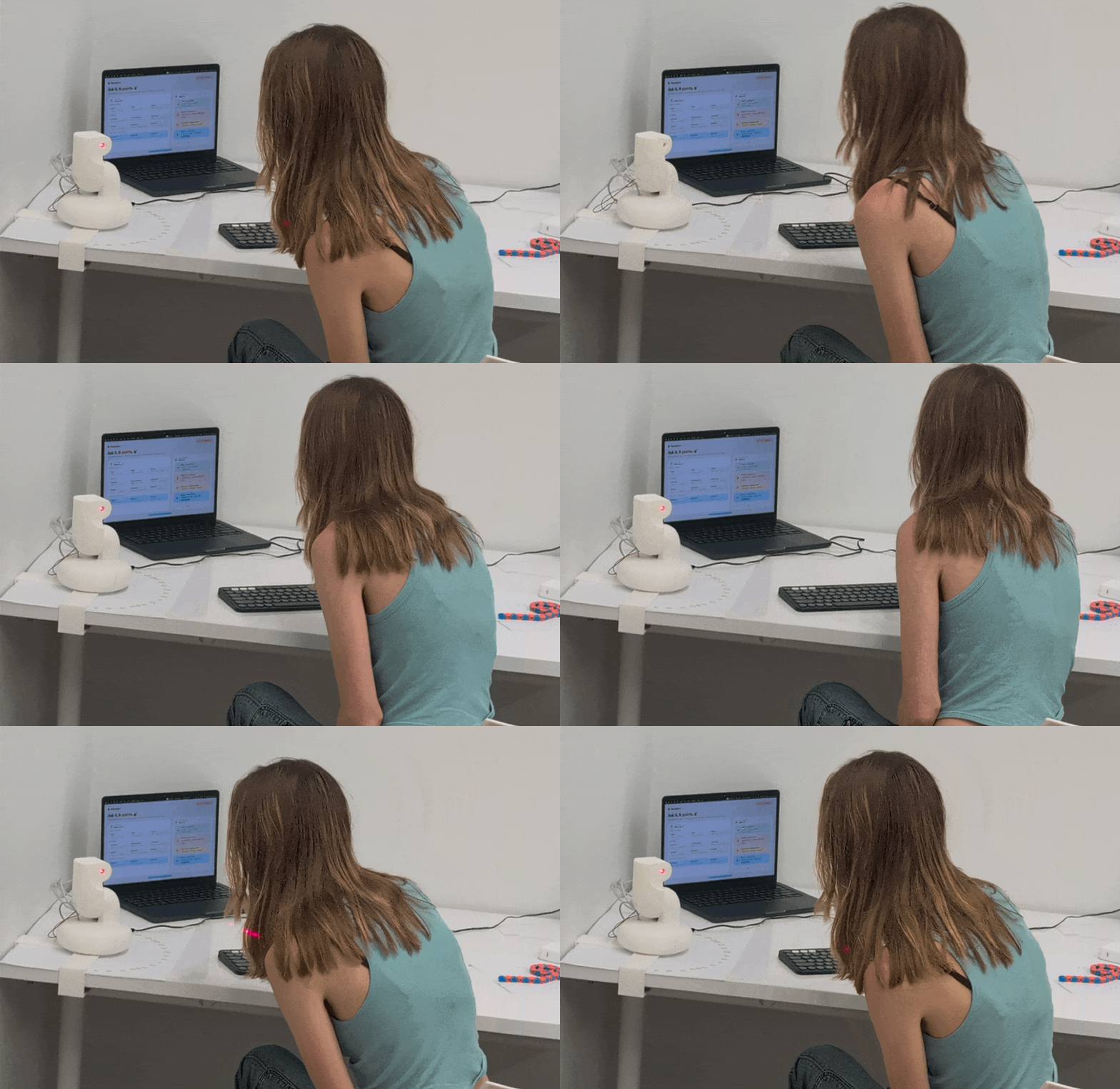
Short story time! I was researching embodied interfaces for my thesis when I found a paper called Emoto: AI Sidekick. The project caught my attention, so I started looking into the people behind it.
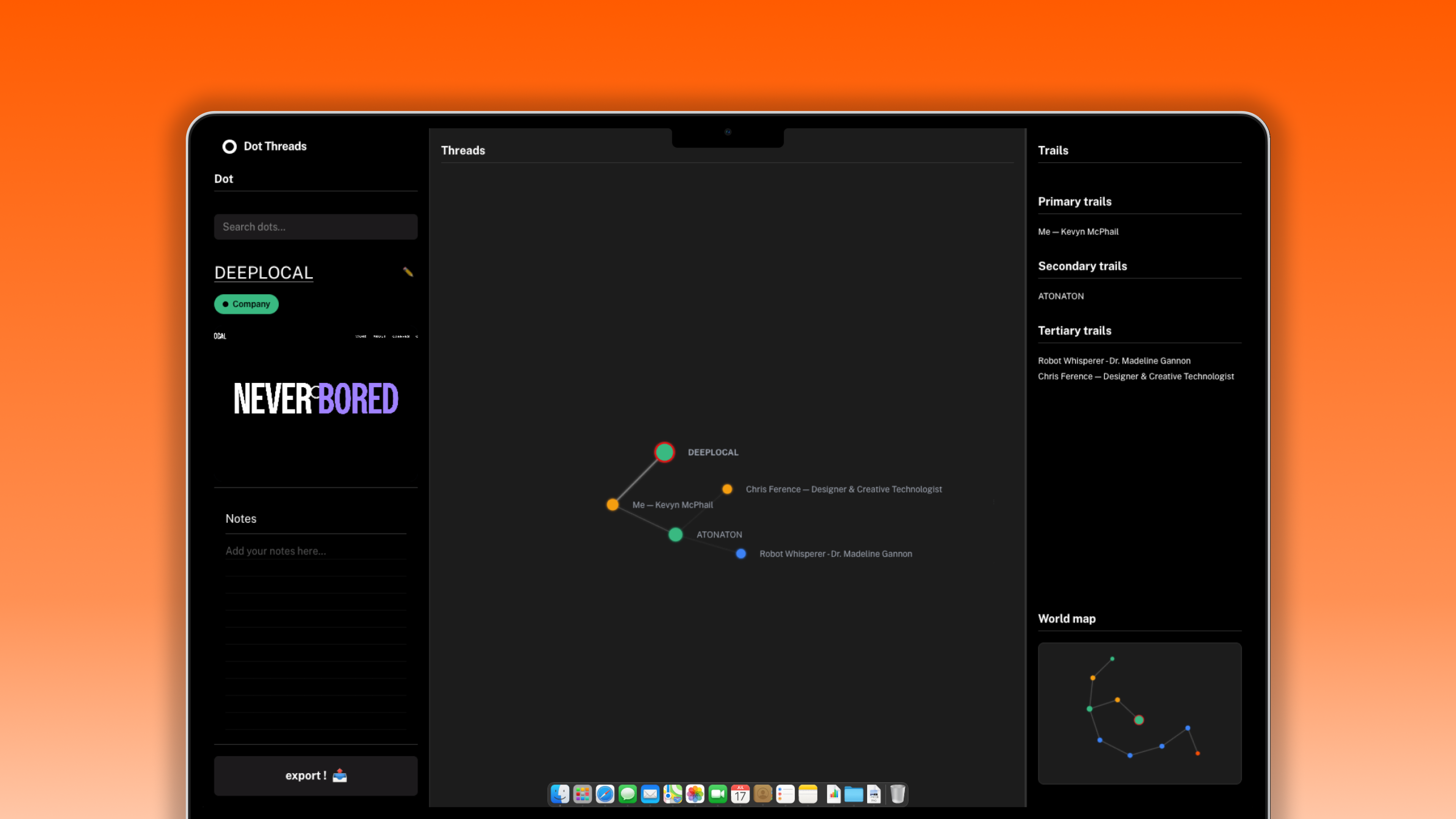
Three of the authors were from CMU, and two of them were from the School of Design. That already felt close to my world, so I kept following the trail. I found that two of them later joined Experiments with Google, then eventually started their own company. Another author moved to Apple as a prototyper. The professor on the paper later moved to Northumbria University, started a lab, and worked on Spooky Technology, a project I recognized because one of its collaborators, Daragh Byrne, was someone I had worked with at CMU.
At that point, I was not just saving a paper anymore. I was finding a small web of people, projects, labs, companies, and overlaps with my own work. If I came across someone from Experiments with Google later, I would want to remember this whole trail, not just the original link.
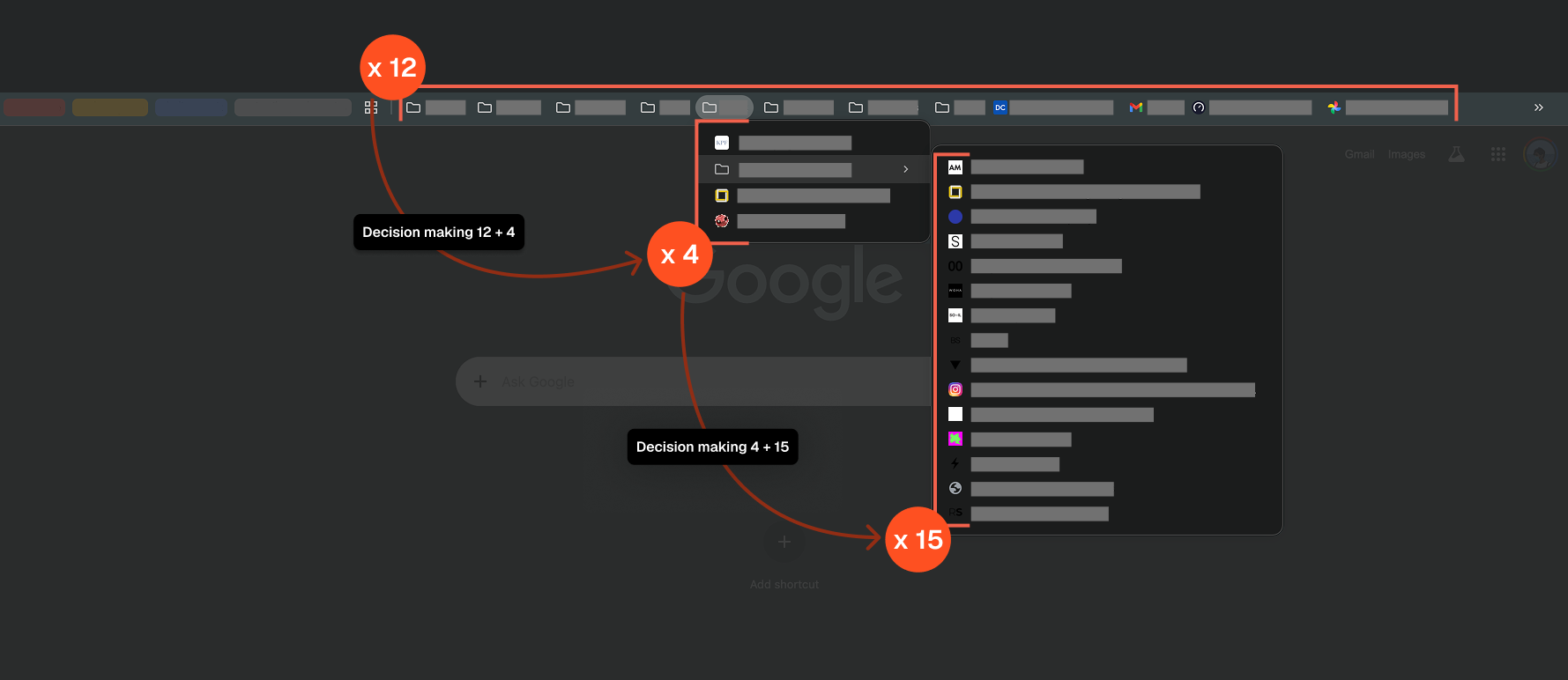
That’s 12 open tabs, 4 folders deep, and 15 bookmarks to sort through before you even get back to what you were thinking about.
Validating the Problem
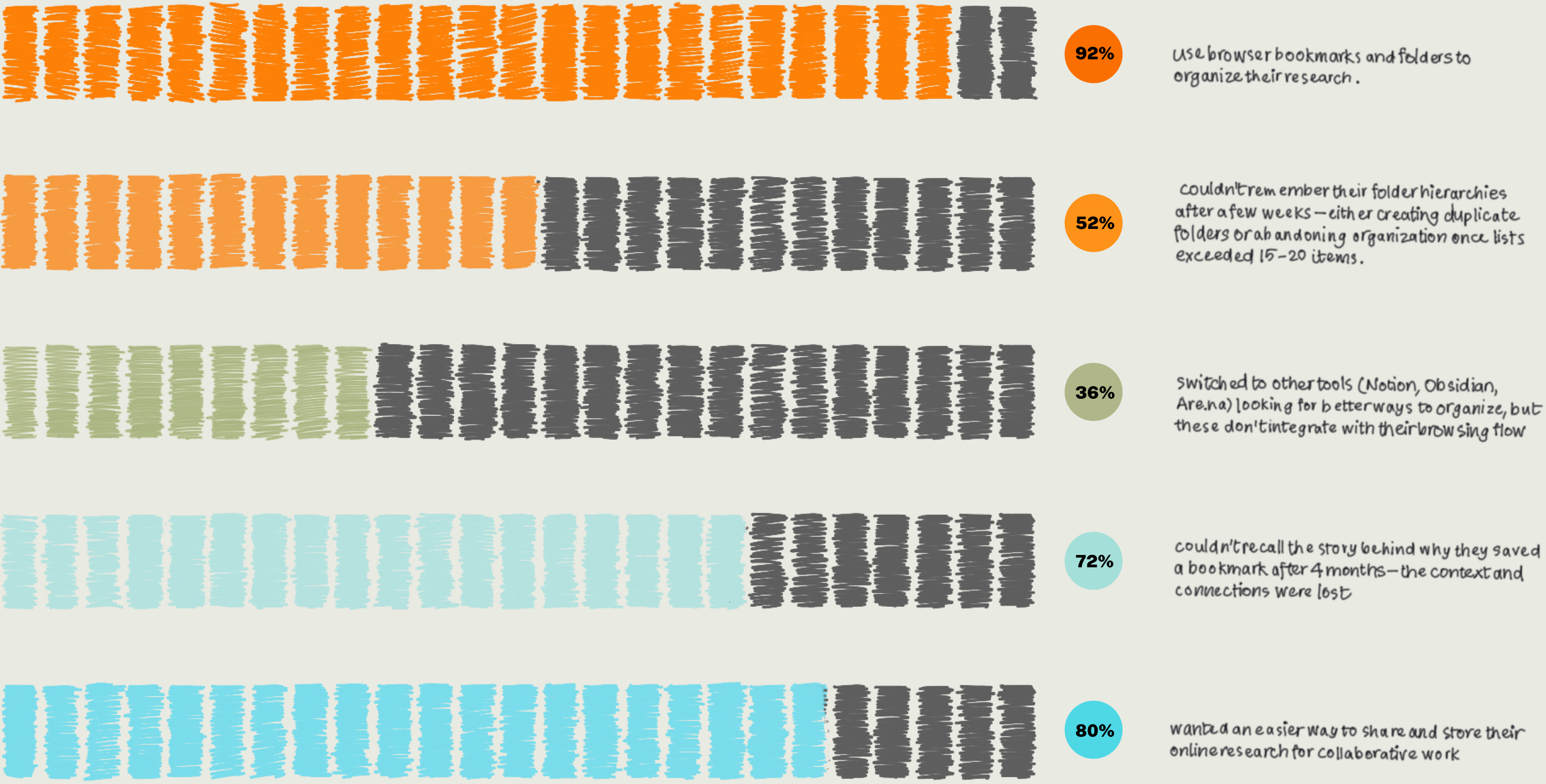
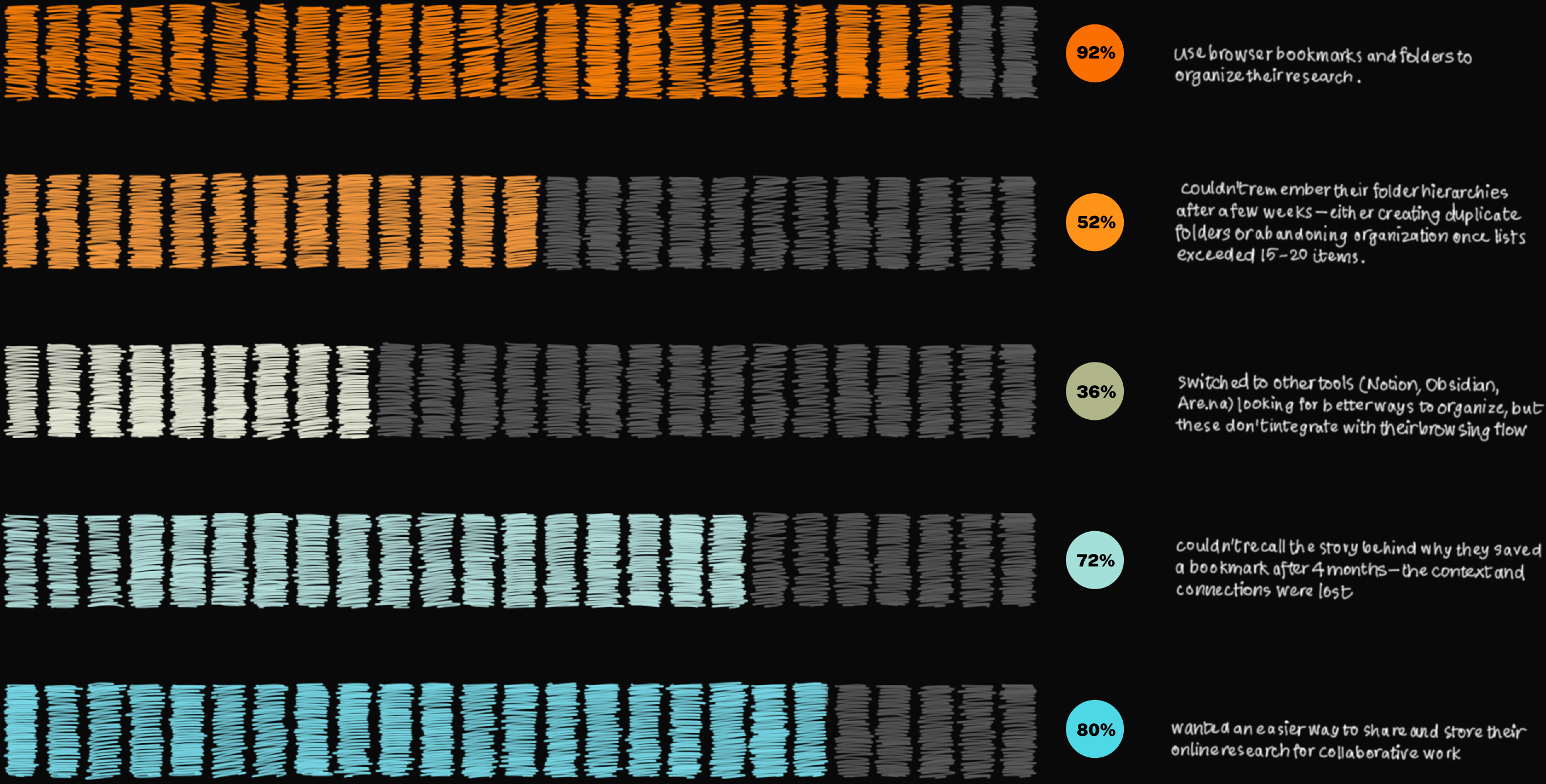
To see if there is a broader pattern with this problem, I surveyed 25 people across 3 CMU departments (Architecture, HCI, Design) to collect qualitative insights on how people organize their digital bookmarks.
The insight
Bookmarking systems break when the list gets too long. People either stop using them or forget where things were saved. Sharing adds more friction, pushing people into tools like Are.na, OneTab, or Notion and splitting the workflow across too many places.
Outcome
Shipped Product
Dot Threads launched on Chrome Web Store in September 2024 and has been actively maintained through January 2026. Currently at version 1.3.3 with 10 active users.
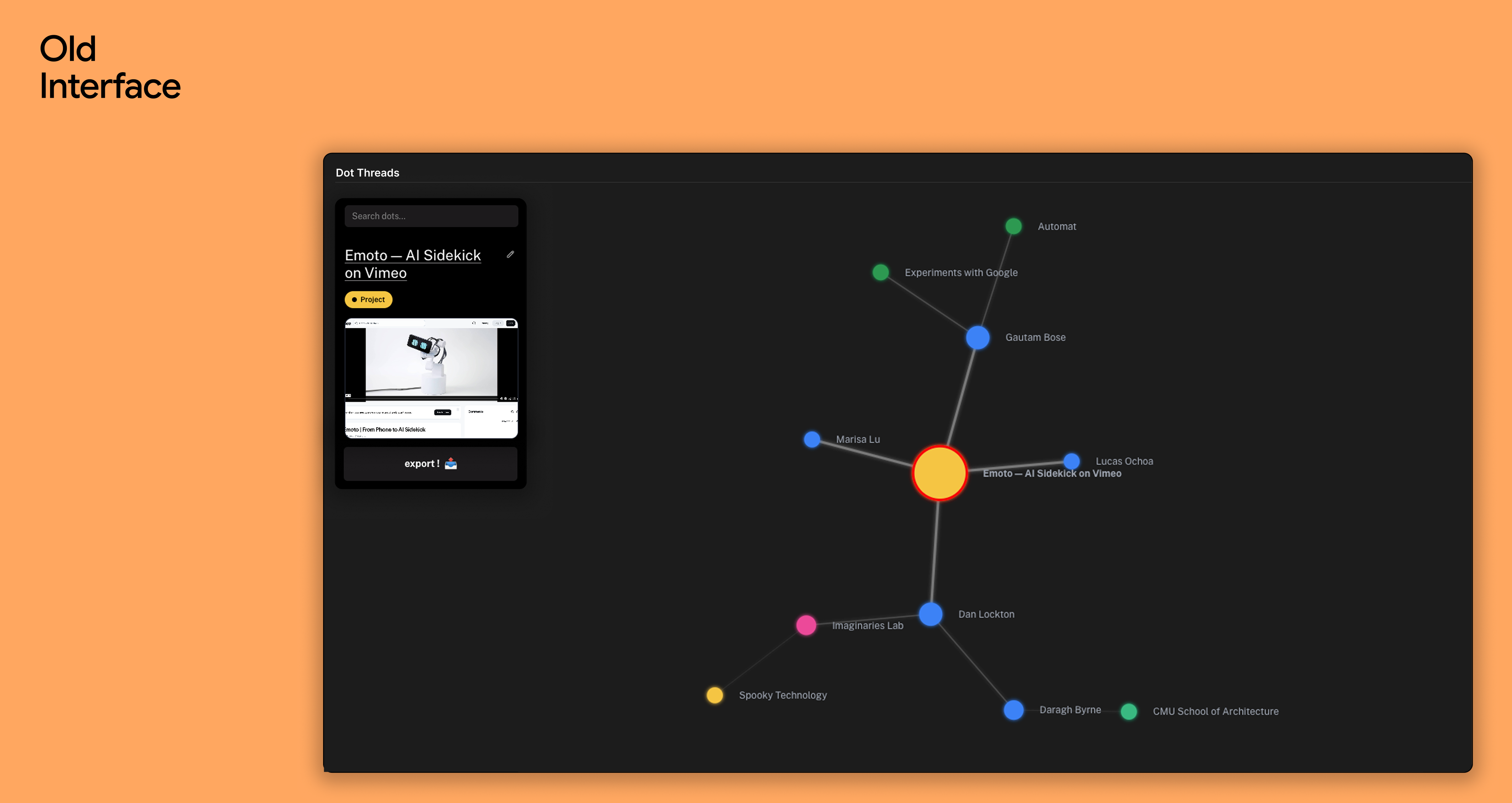
Before User Feedback
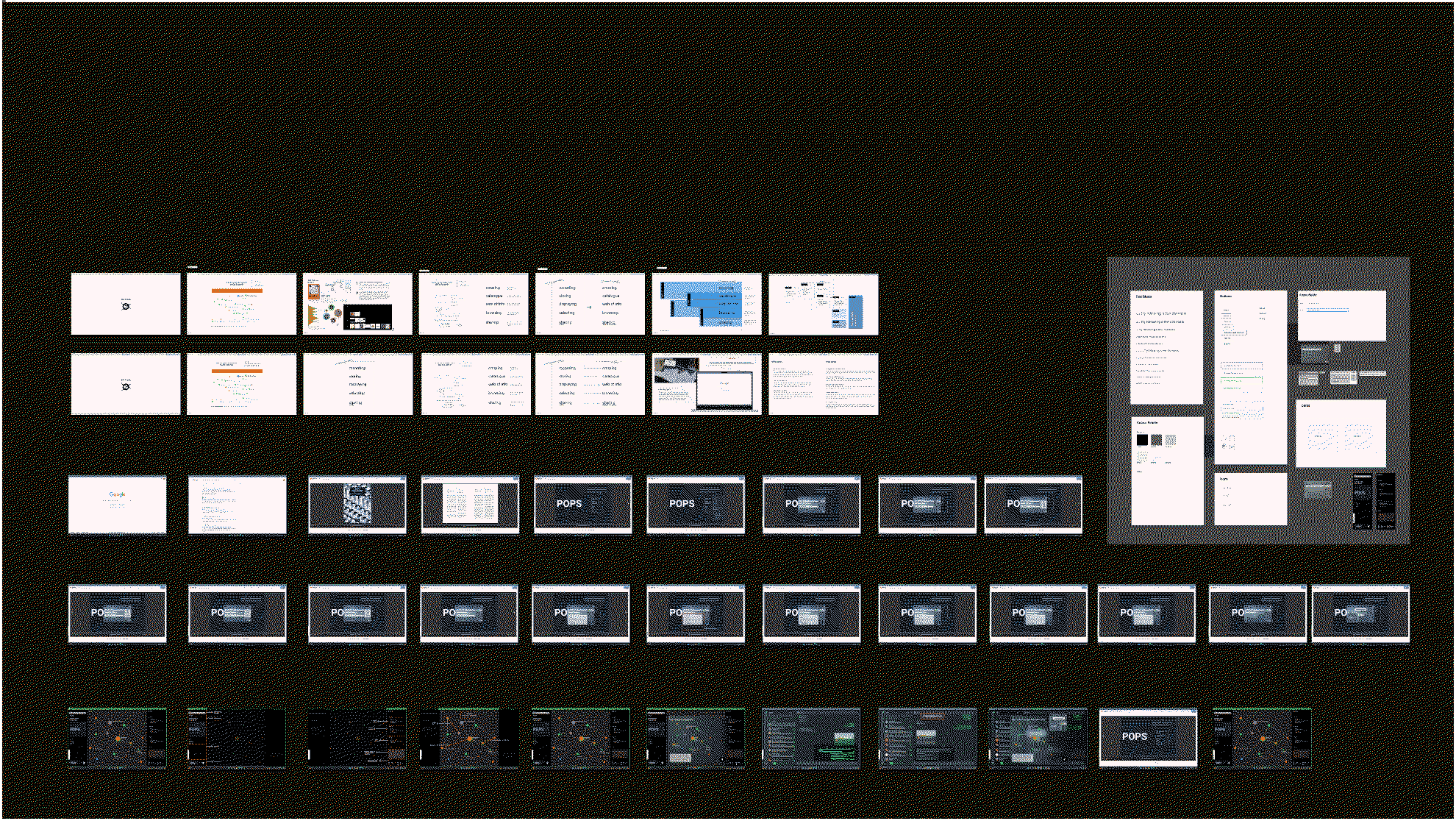
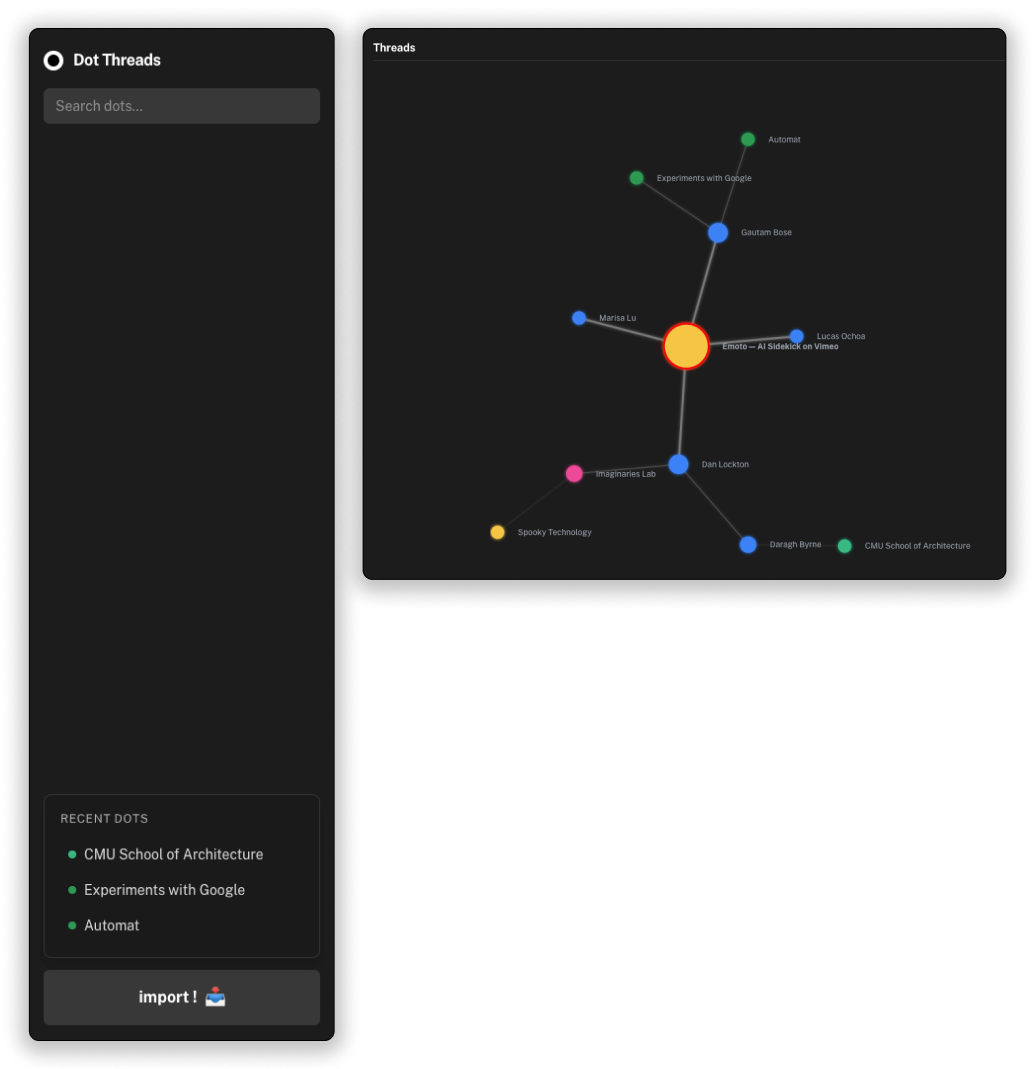
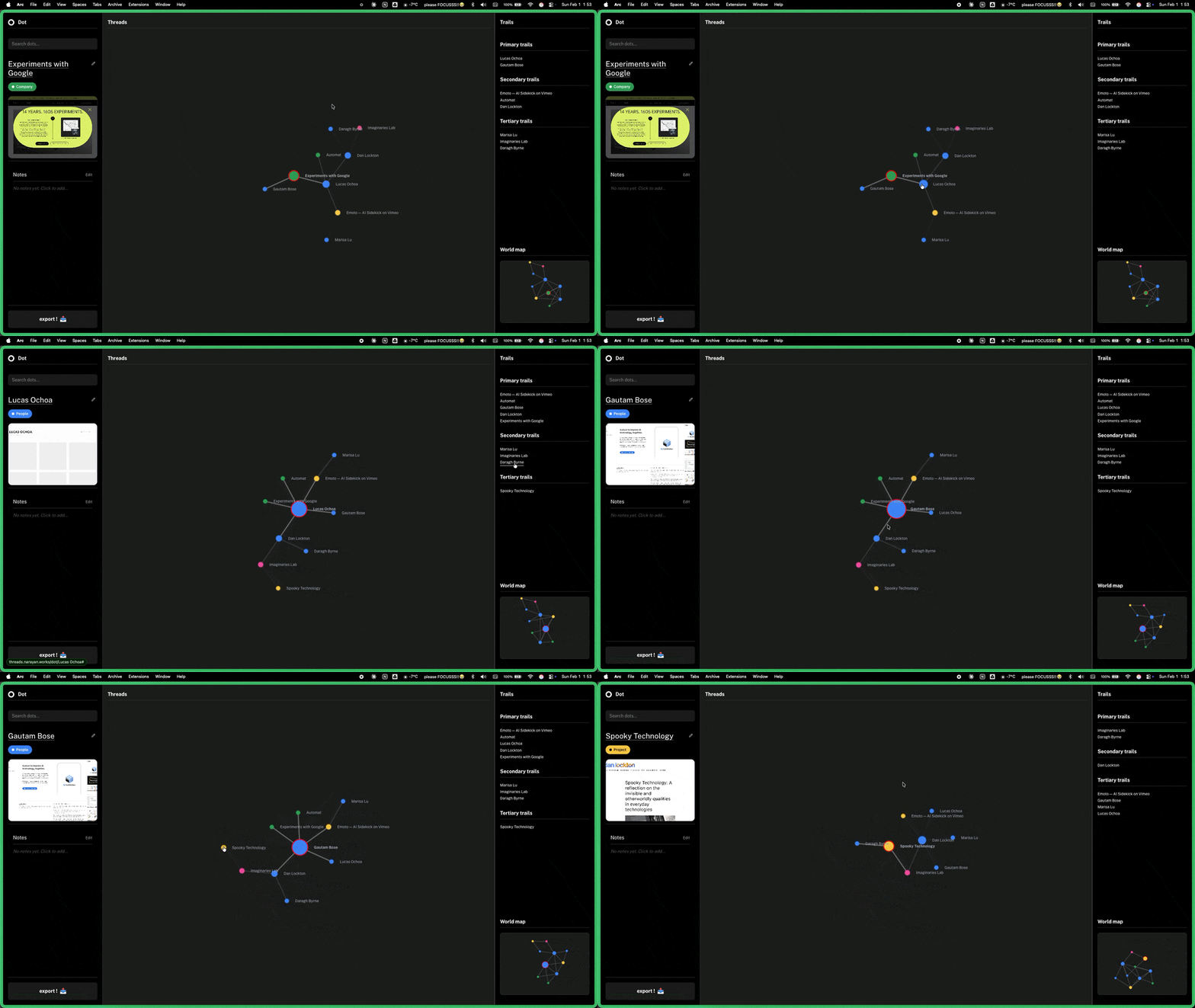
The first interface proved the core idea of Dot Threads: saved links could live as connected dots instead of a flat bookmark list.
Refining the Product
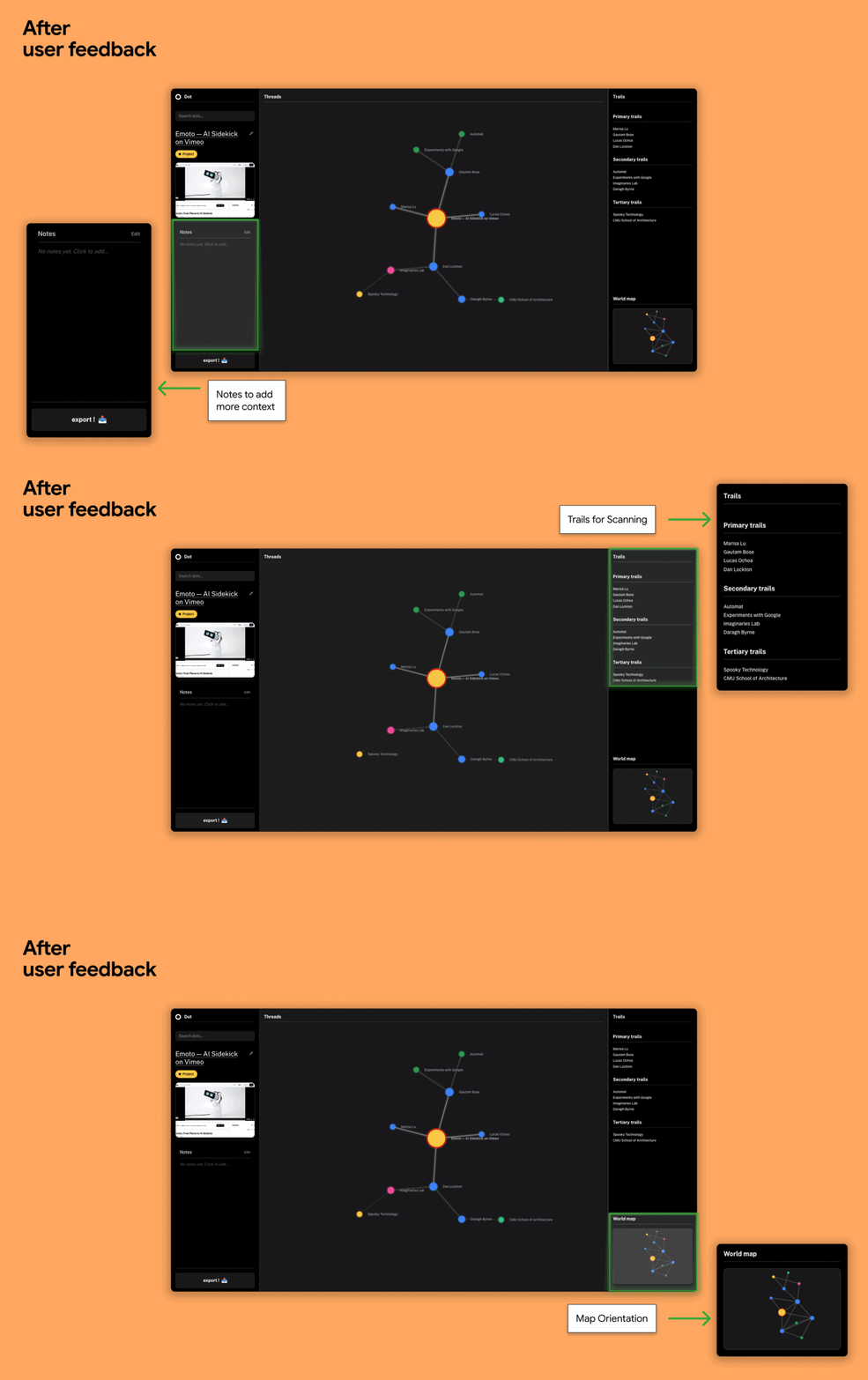
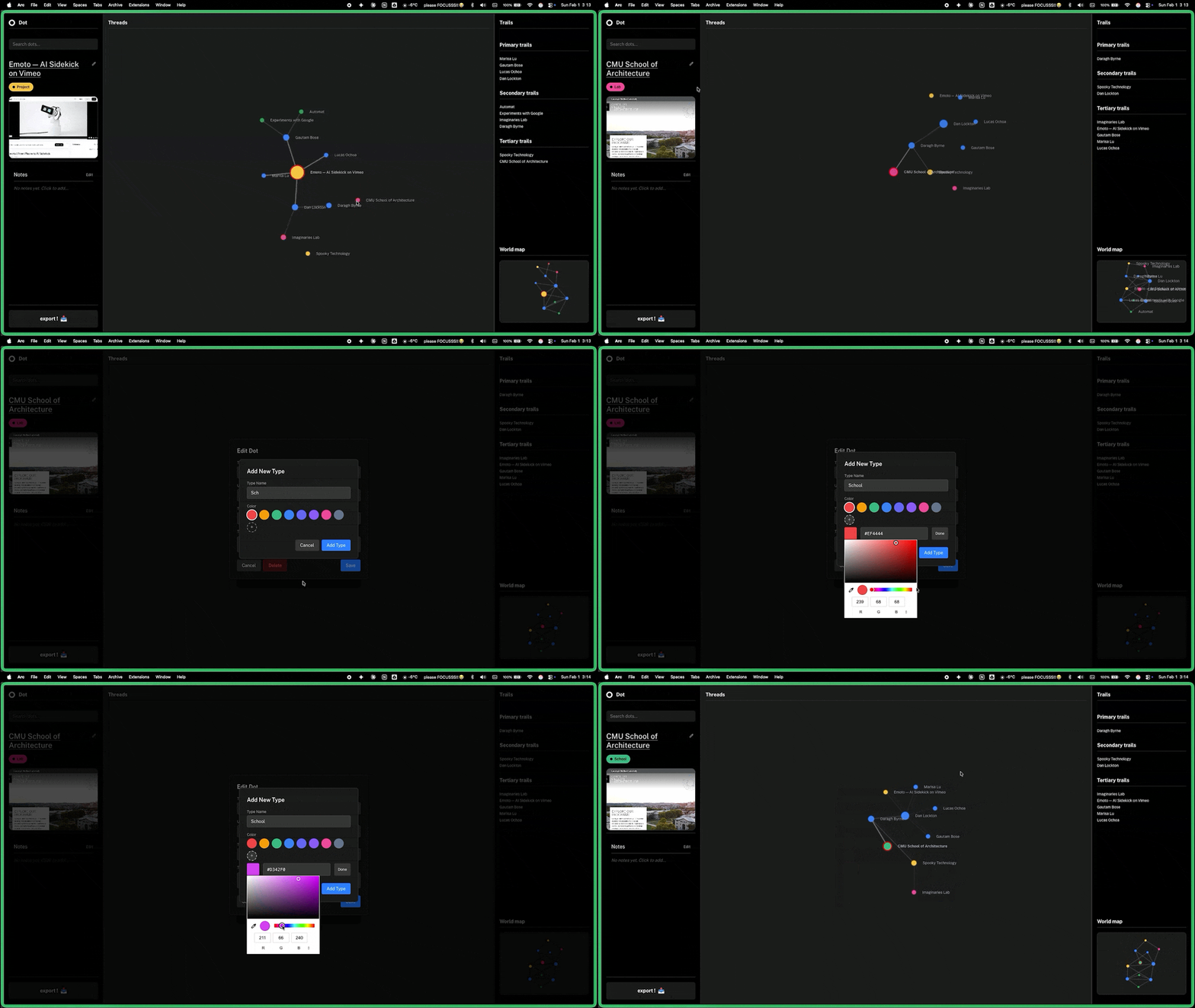
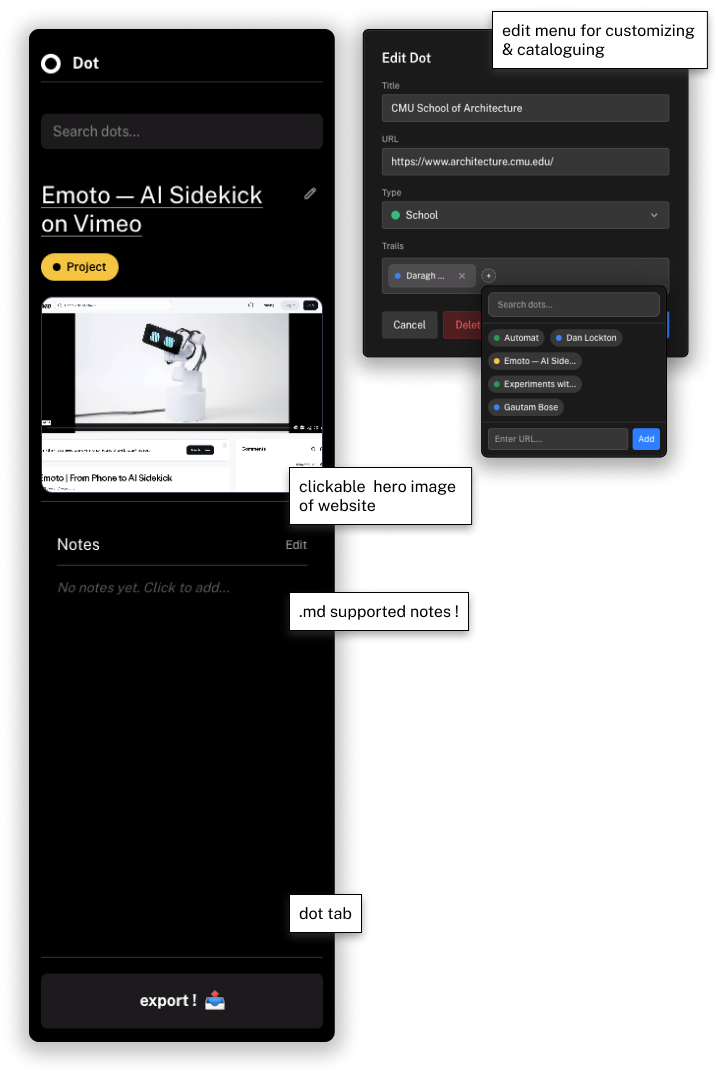
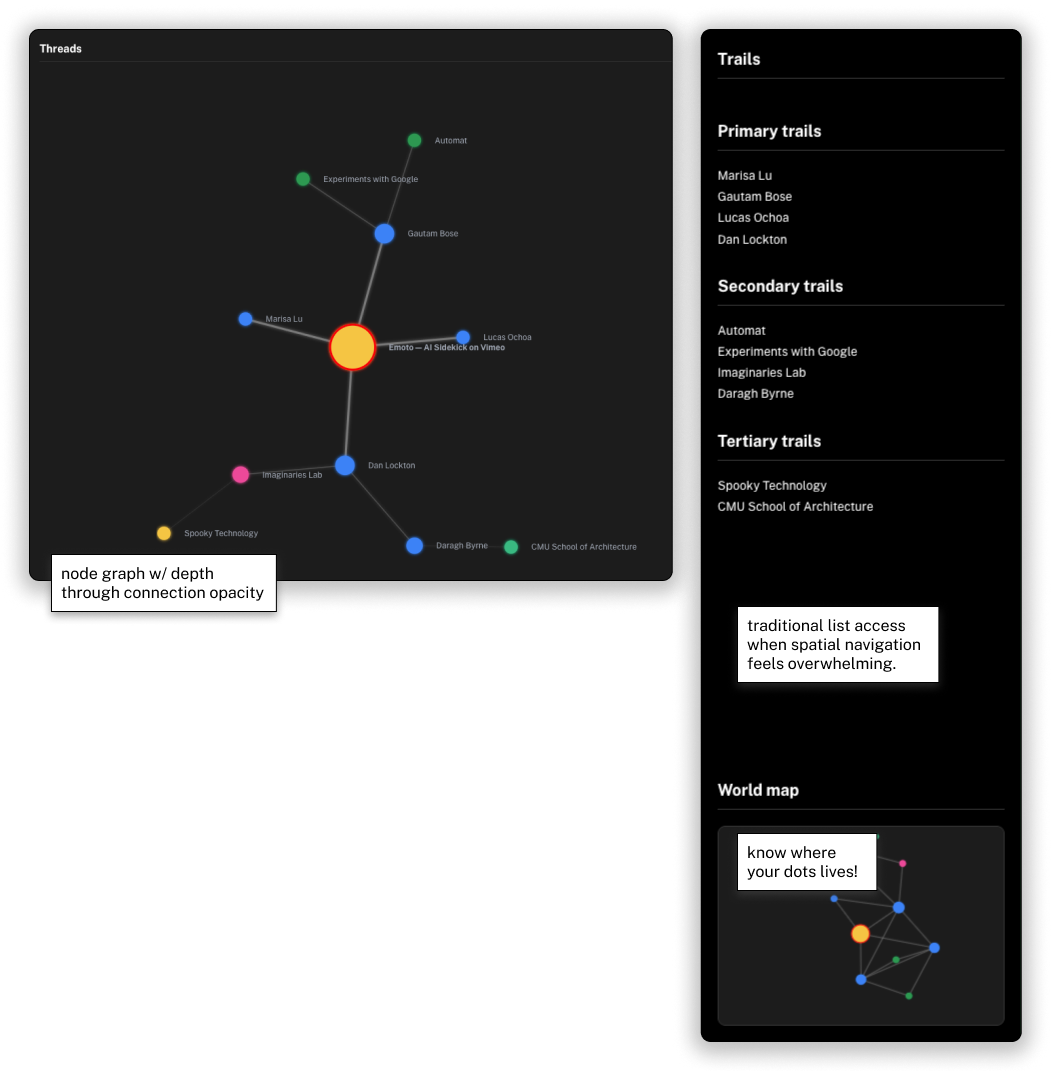
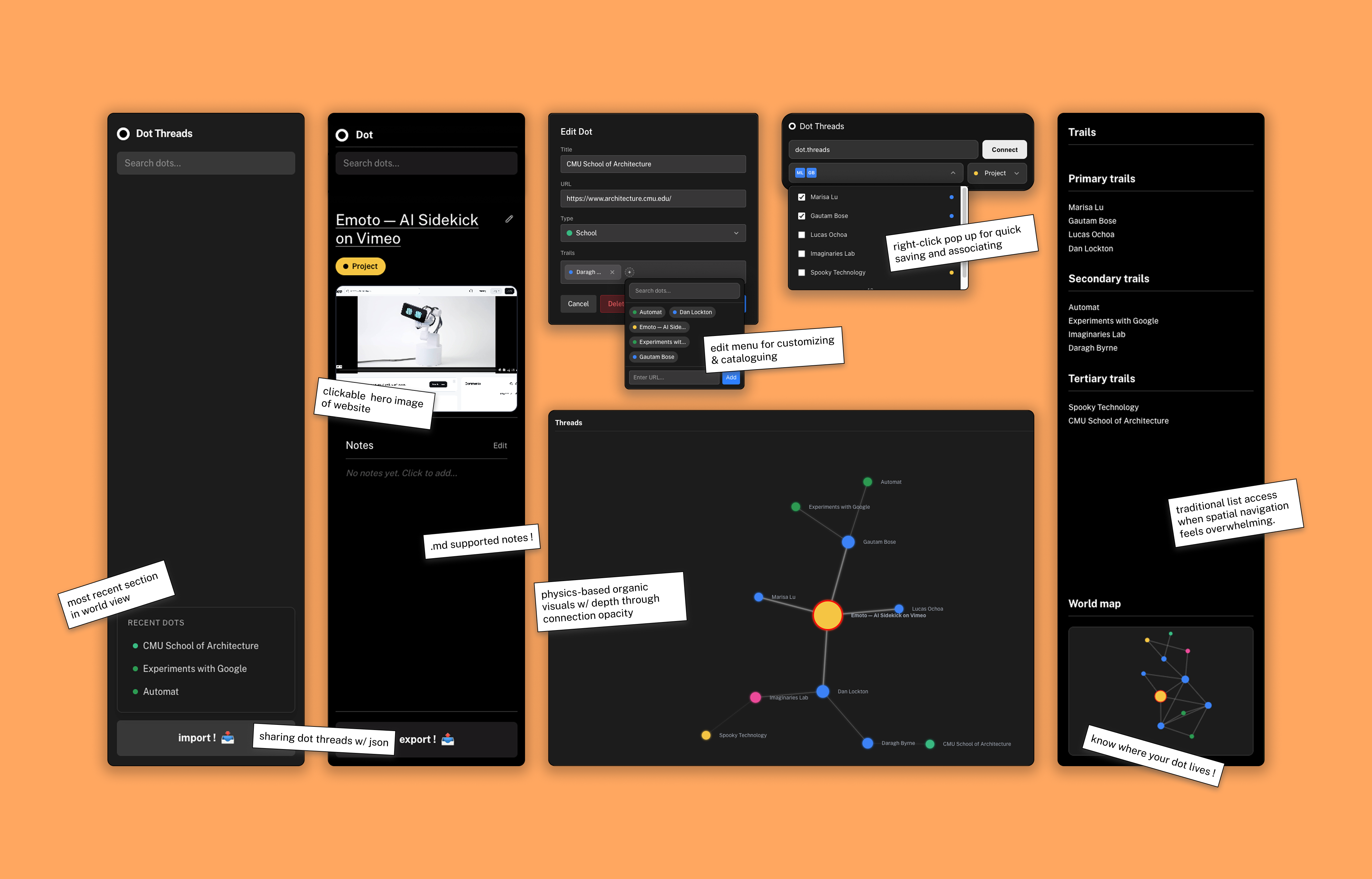
User feedback helped define the supporting structure around the map, splitting the interface into Dots for the active save and Trails for navigating relationships.
User Feedback
Notes for the Why
Users needed a way to remember why a link mattered after saving it. Notes give each dot a place for context, reflections, and follow-up thoughts.
Trails for Familiar Nav
The graph keeps relationships visible, while Trails adds a familiar mental model to navigate them. It turns connected dots into simple paths so users can move through the map in a way that feels natural.
Map Orientation
As the map grows, users need a way to stay oriented. World View shows where the current dot sits within the larger network, making it easier to move between nearby trails and the bigger picture.
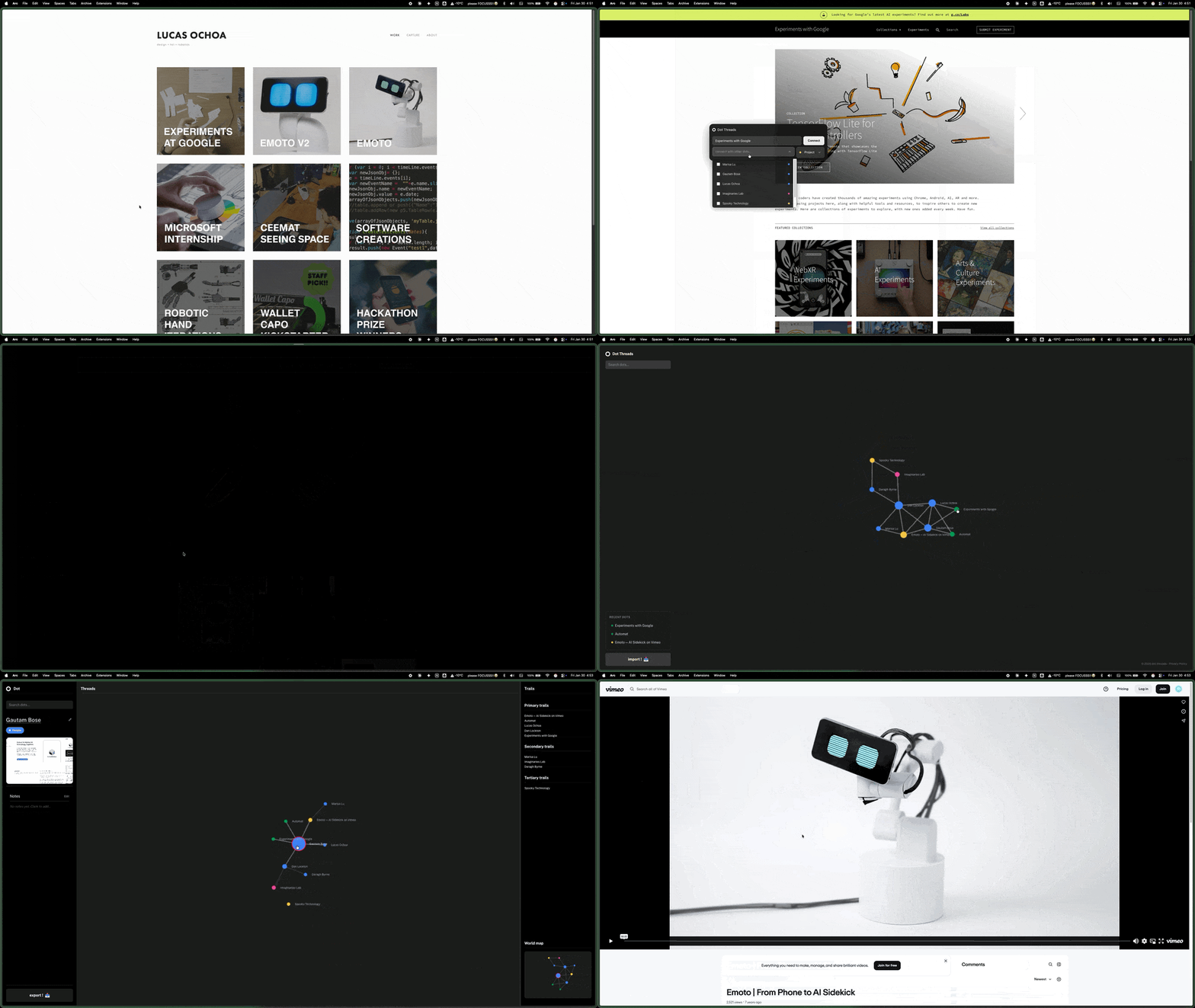
Project Demo
A walkthrough of the live product experience, highlighting core flows and the spatial browsing interactions.
Finding the dots
Conversational AI Research Assistant
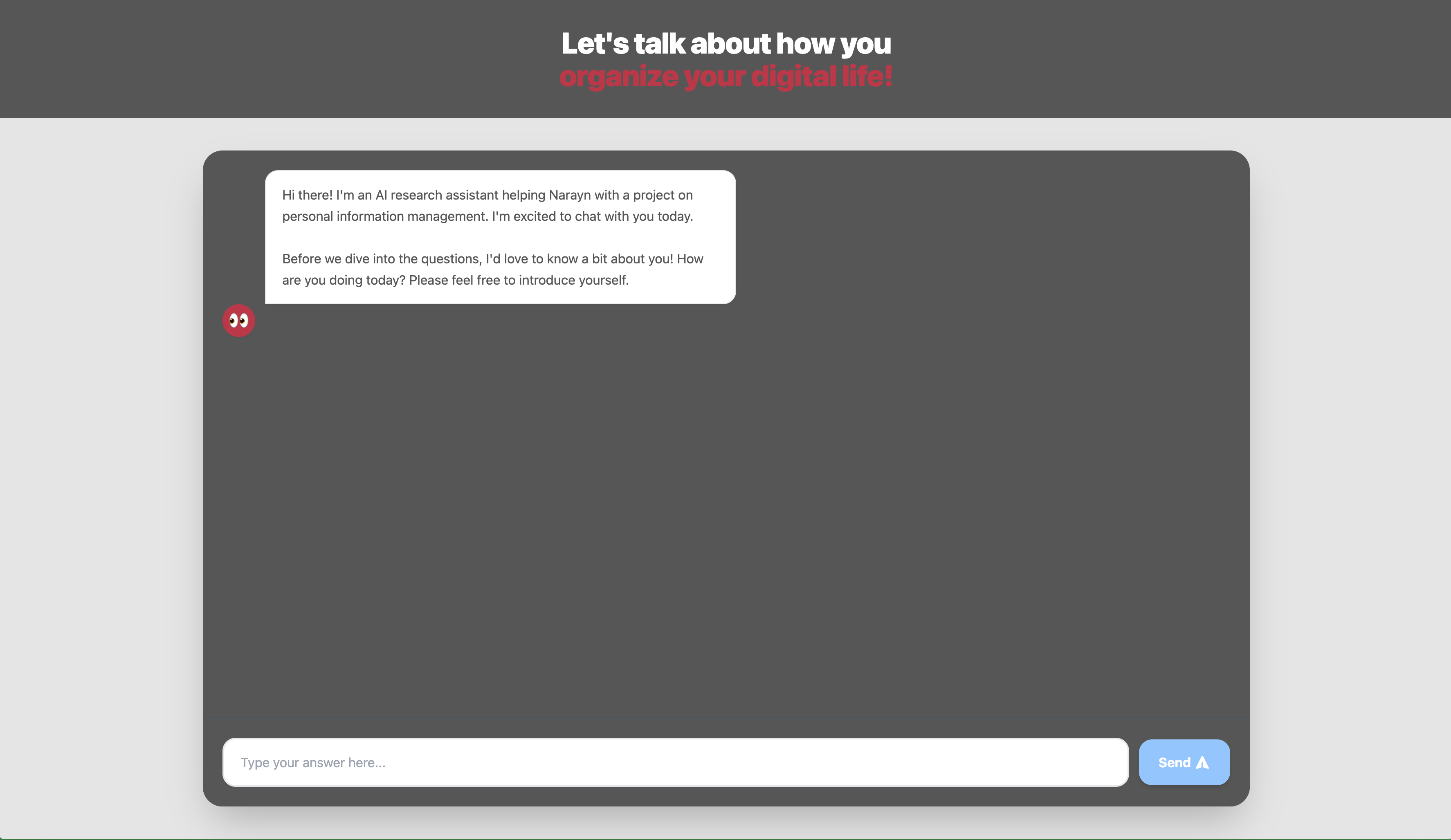
To see if there is a broader pattern with this problem, I got to survey 25 people across 3 CMU departments (Architecture, HCI, Design) using an AI conversational research assistant for these sessions—letting people describe their actual bookmarking behavior instead of forcing multiple-choice answers.
MEMEX as Framework
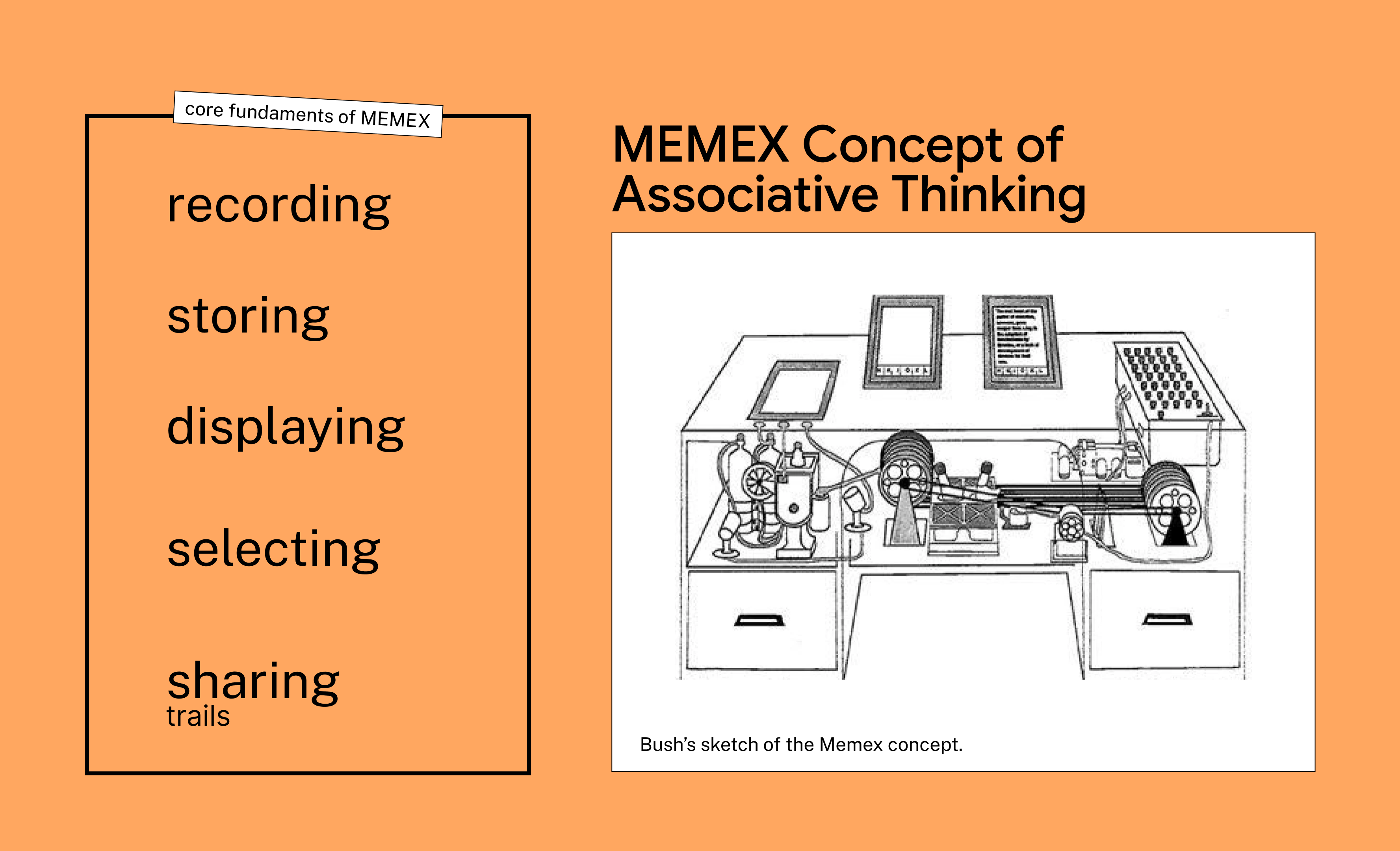
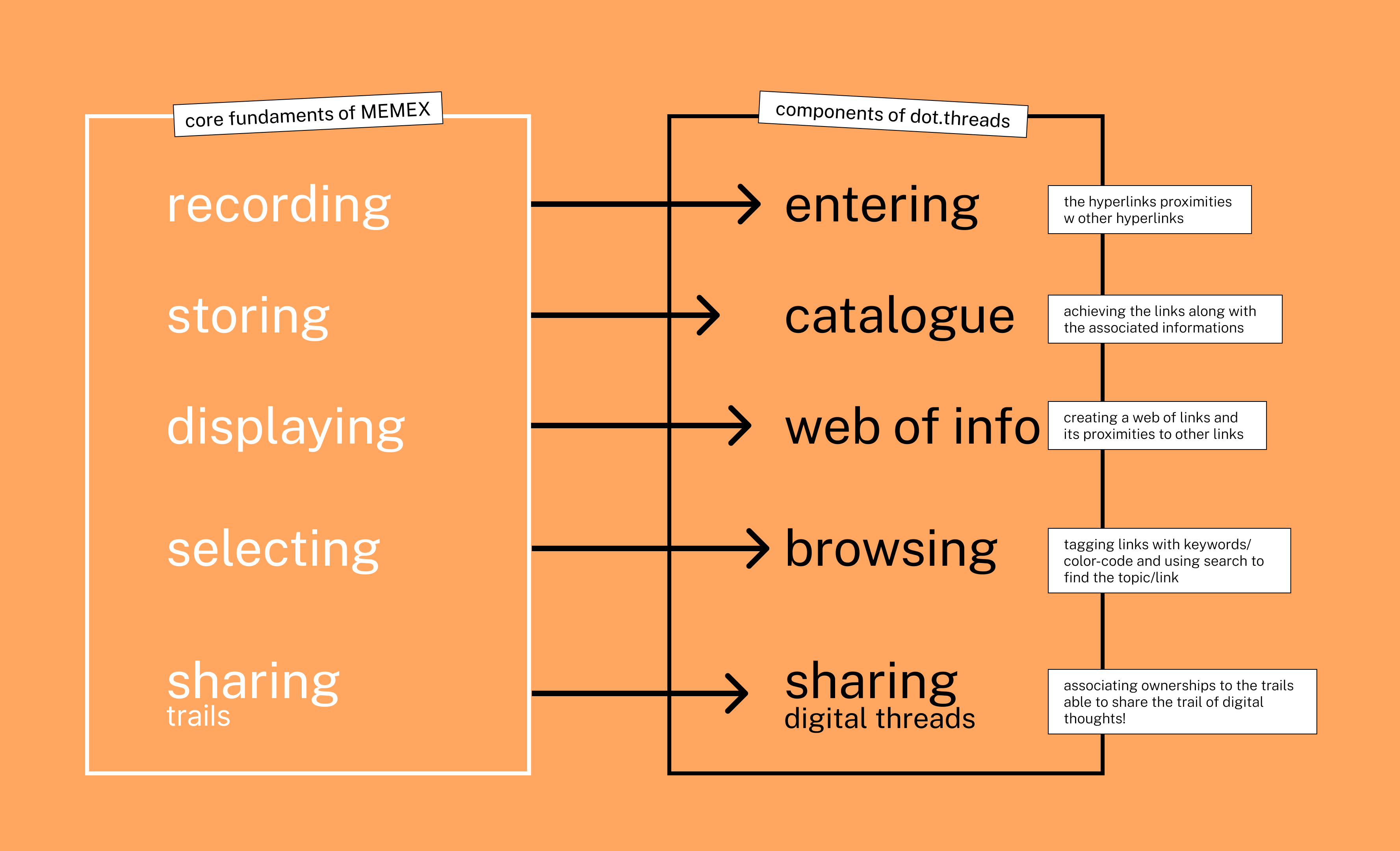
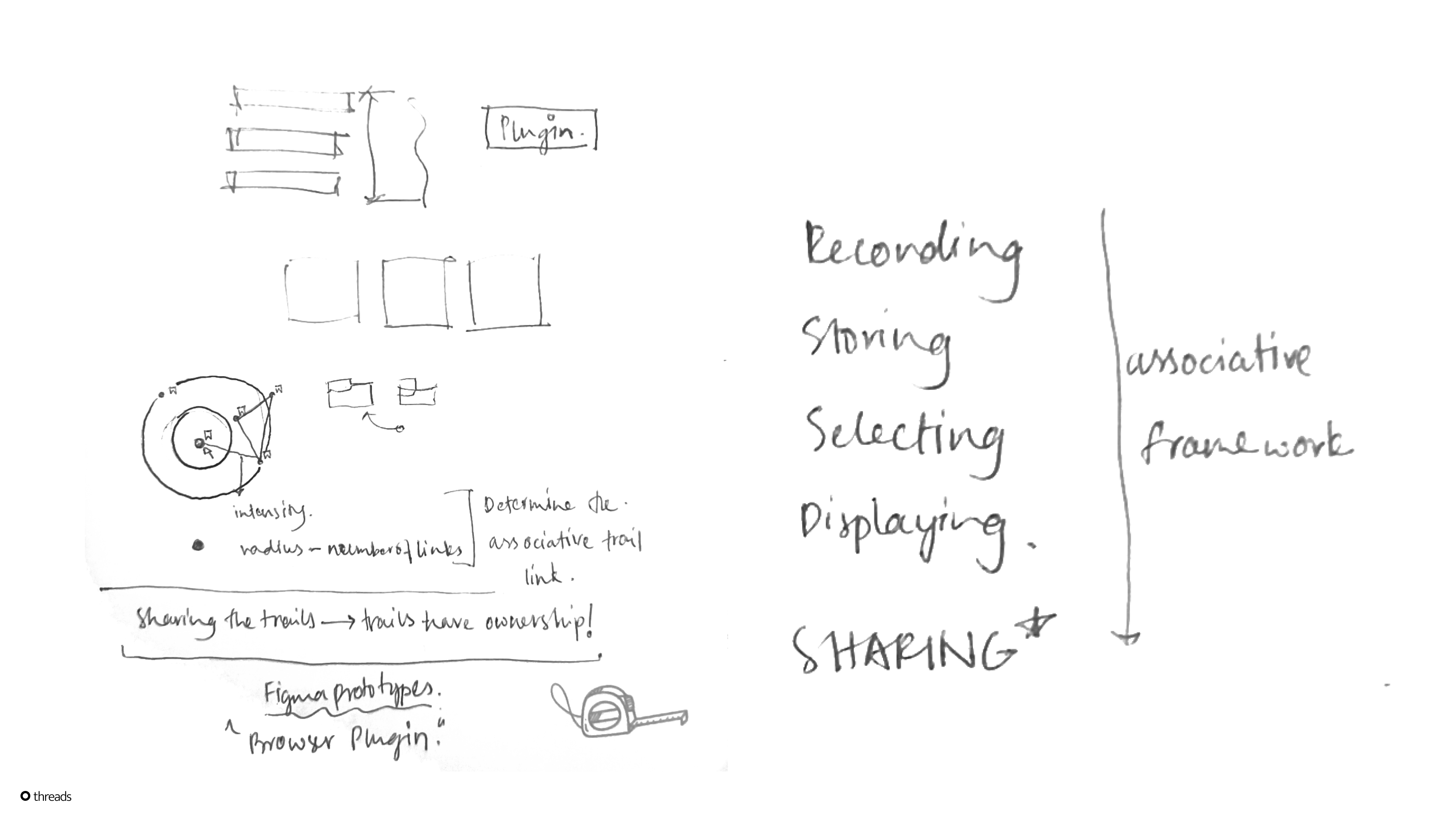
Drawing from Vannevar Bush’s 1945 essay As We May Think , I used MEMEX as a framework because of its overlap with bookmarking, hyperlinks, and associative trails, then extended it into a spatial system for saving and revisiting links.
Prototyping the Parallels
Entering
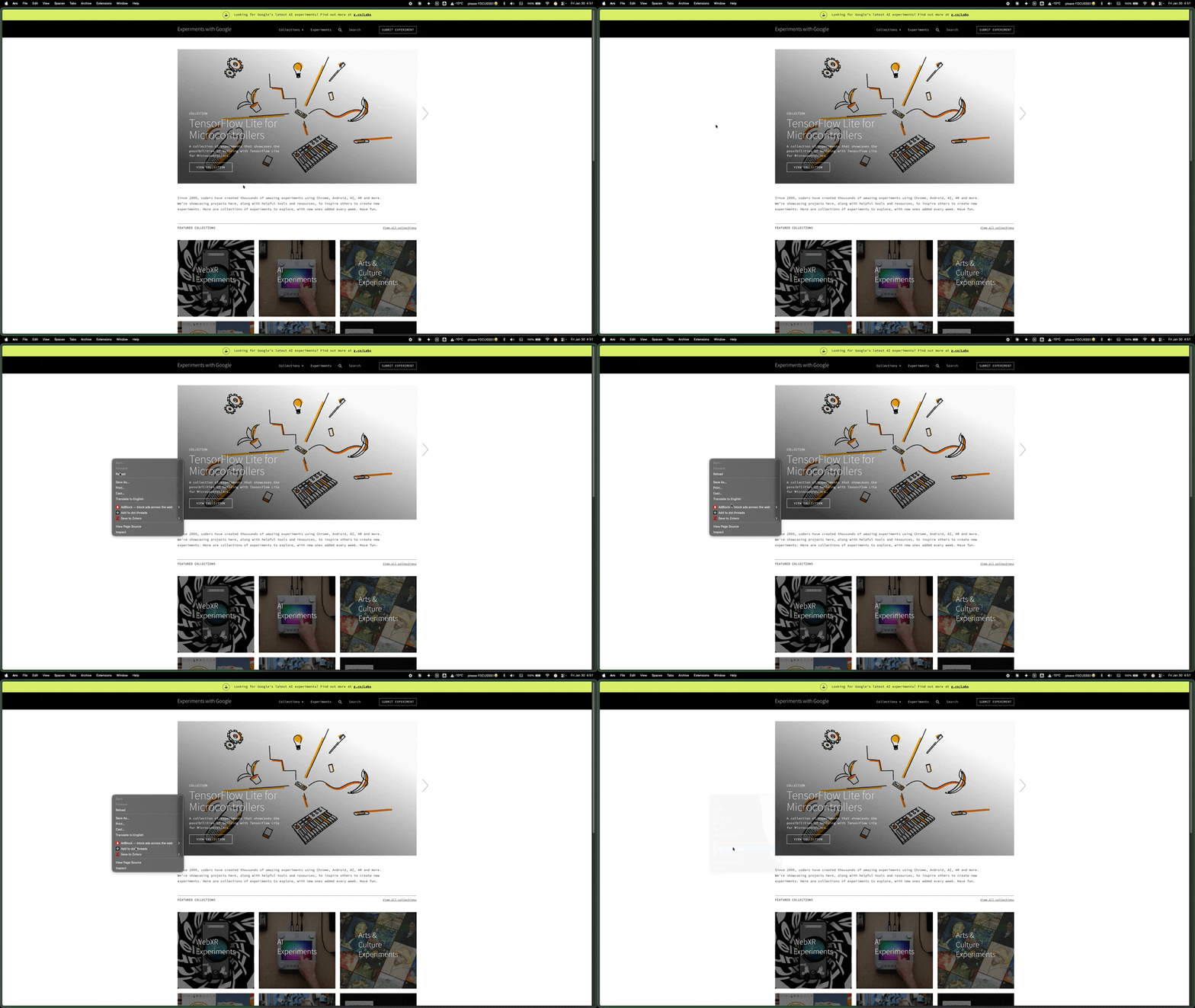
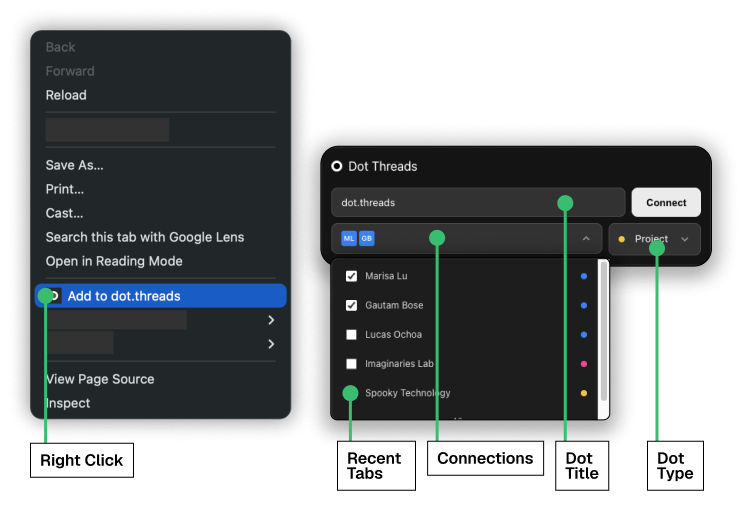
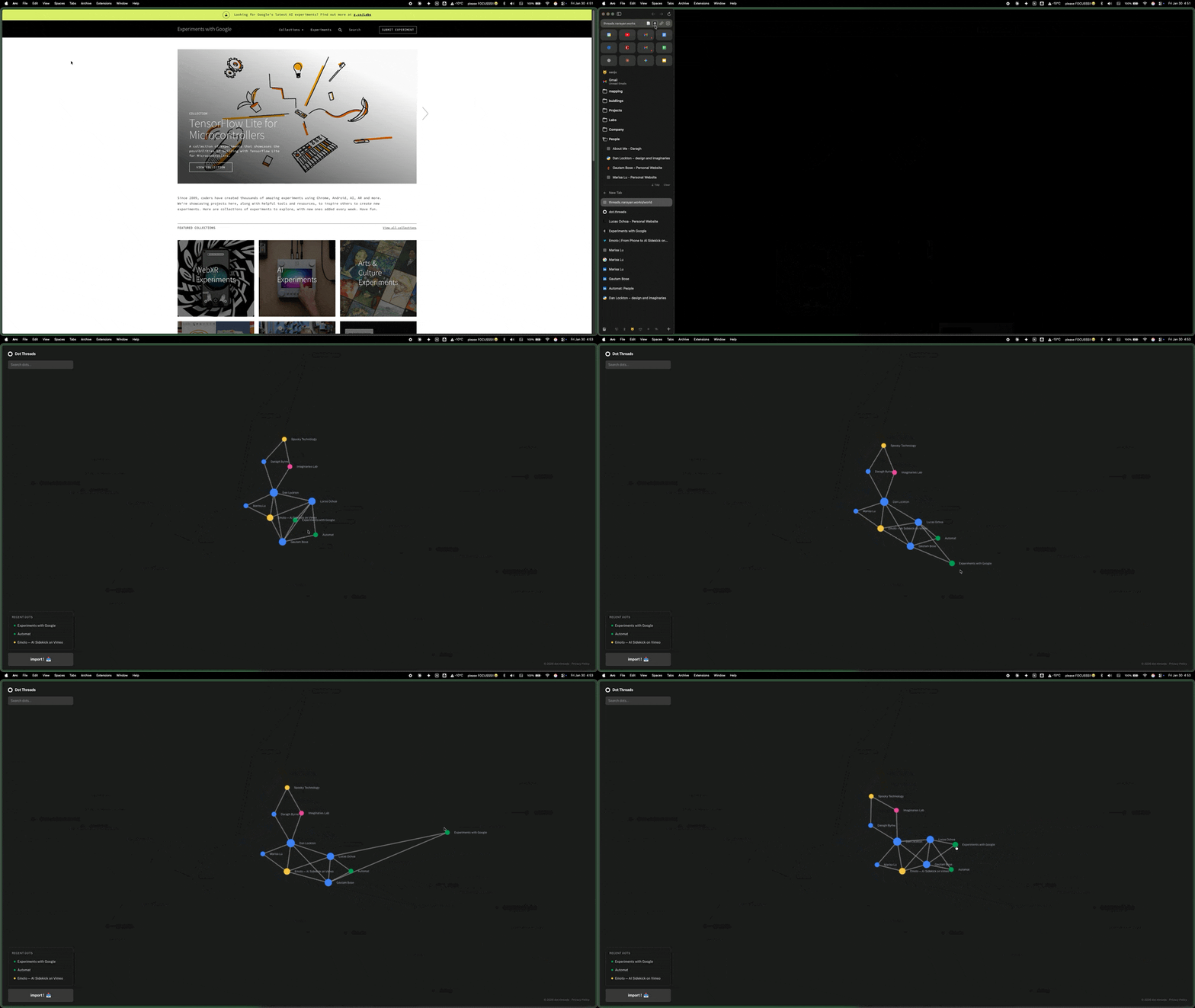
How to capture links without breaking browsing flow? Right-click context menu integration—save any link instantly from the browser’s native menu.
Web of info
How to show relationships spatially? Canvas layout where proximity indicates relatedness. Clicking any node reorganizes the view around it—making that node the “hero” of its own neighborhood.
Cataloguing
How to preserve context when saving? Tag input and connection suggestions appear immediately during save, capturing why something mattered before the moment passes.
Browsing
How to navigate without hierarchies? Direct exploration—click a node to see its connections, hover to preview, zoom to adjust detail level.
Sharing
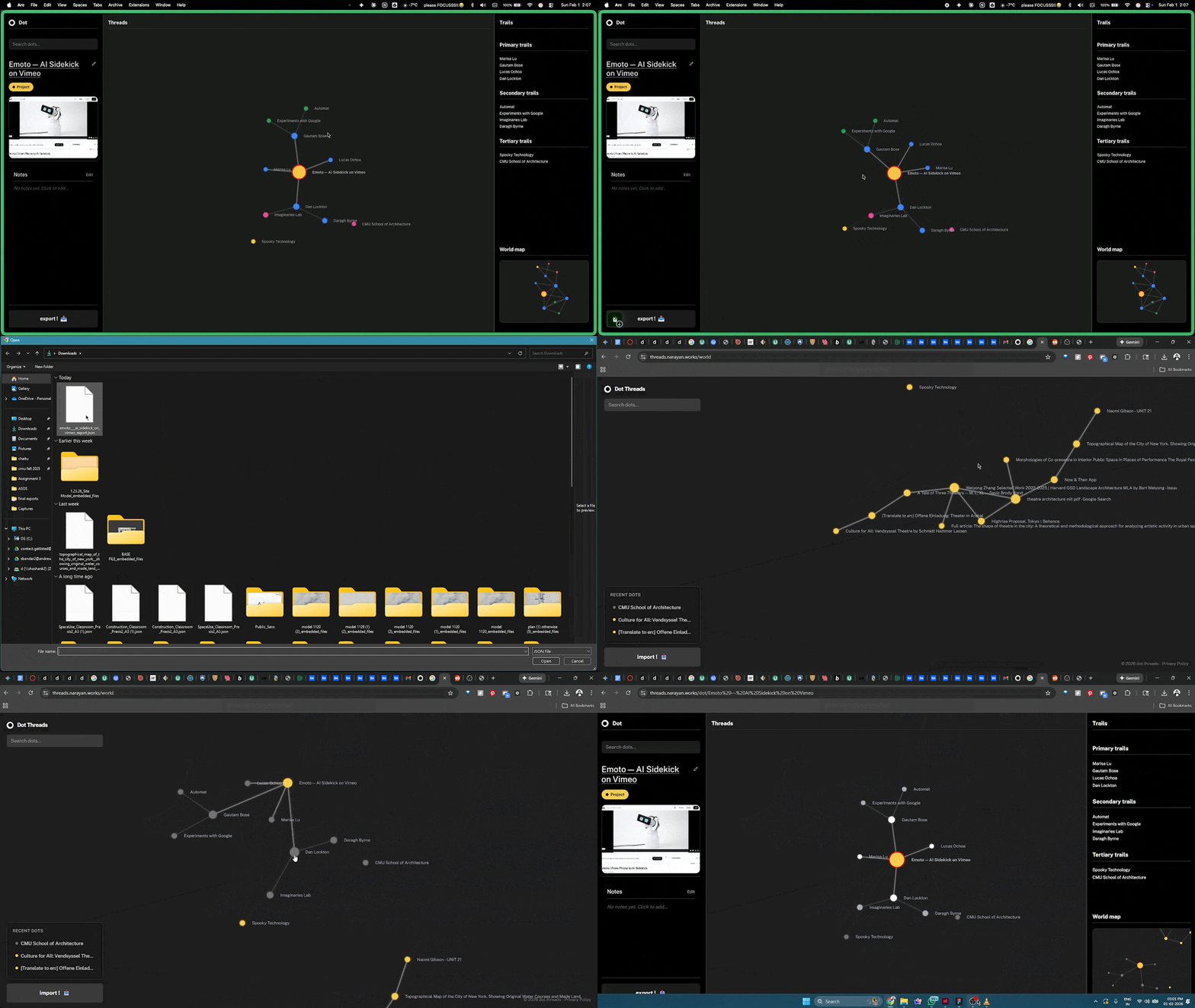
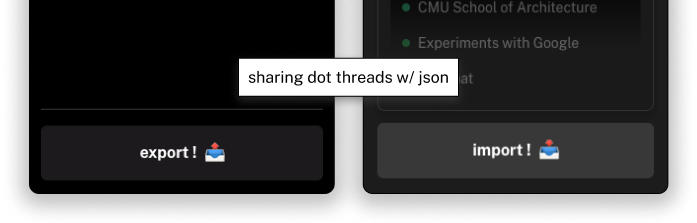
How to export threads without cloud dependency? Local export as portable files—threads package as self-contained data that can be shared directly.
Technical Architecture
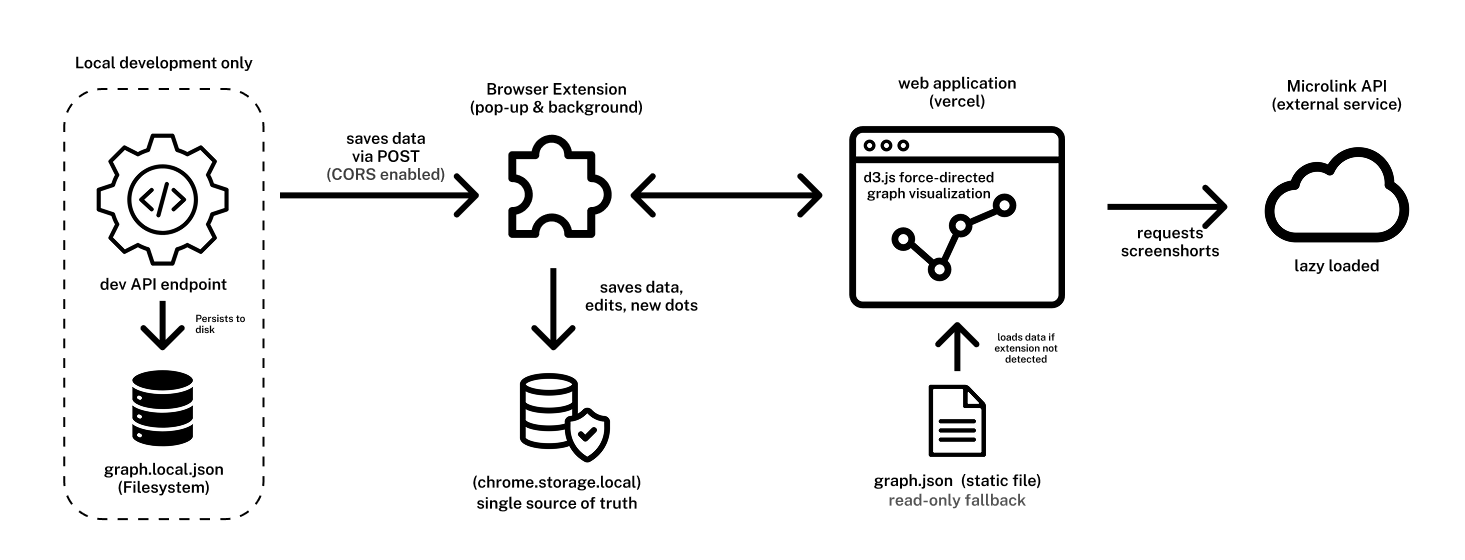
Chrome extension stores data locally using browser storage API. Web application reads this data through message bridge and visualizes using D3.js force-directed graph. Development mode includes local filesystem persistence. When extension not installed, app loads static demo data. Microlink API handles screenshot generation.